Storage
Linux Drive Space Manager
(lin-drivespace)
See what's eating your disk, at a glance.
Local · offline-first
How to install: Install the app package or run the included installer; it adds a menu entry you launch like any app. It works offline.
Overview
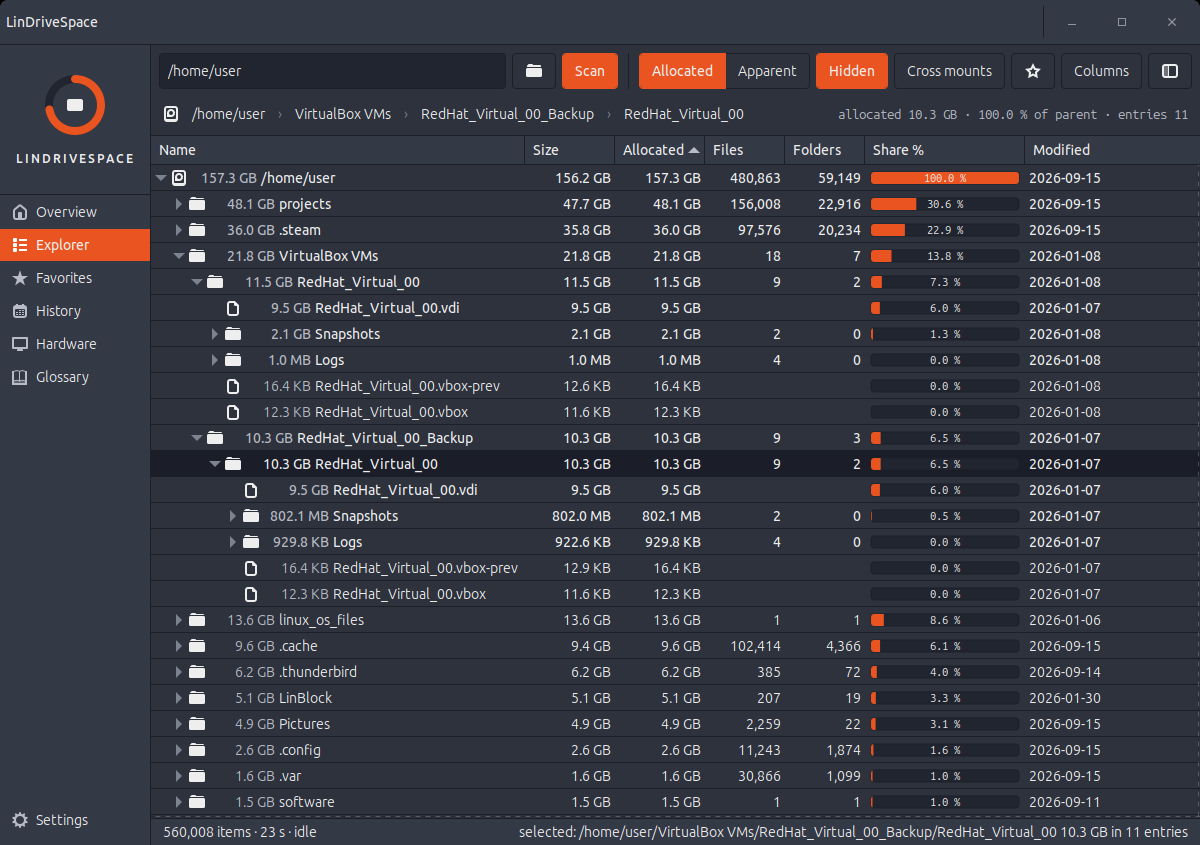
LinDriveSpace shows every drive and partition in one window, then lets you drill into folders and files to find exactly what is filling up your space. Sortable tables, treemaps and charts make the biggest space hogs obvious, so you can clear room with confidence. It tracks usage over time so you can see where space went.
Platform: Linux desktop
Features
See every drive and partition with used, free and total space at a glance
Drill into any folder to find the largest files and folders fast
Visual treemap and charts that make big space-users jump out
Automatic scanning that starts on its own, with pause and stop controls
External and USB drives appear and disappear as you plug them in
History view of how your space changed over days, weeks or months
One-click actions: open, reveal, copy path, or send to trash
Star favorite folders for quick checks
What you can do
1Scan a drive or any folder and see exactly where your space is going.
2Spot and clean up the biggest files to reclaim room.
3Track disk usage over time and see what changed.
4Bookmark the folders you check most for one-click access.
Get Linux Drive Space Manager
Download comes straight from the project's source on GitHub — nothing is hosted here.
Download