Search
Linux File Search
(lin-filesearch)
Find any file on any drive, instantly.
Local · offline-first
How to install: Run the included install script (no admin rights needed); it adds a command and an app-menu entry you launch like any app.
Overview
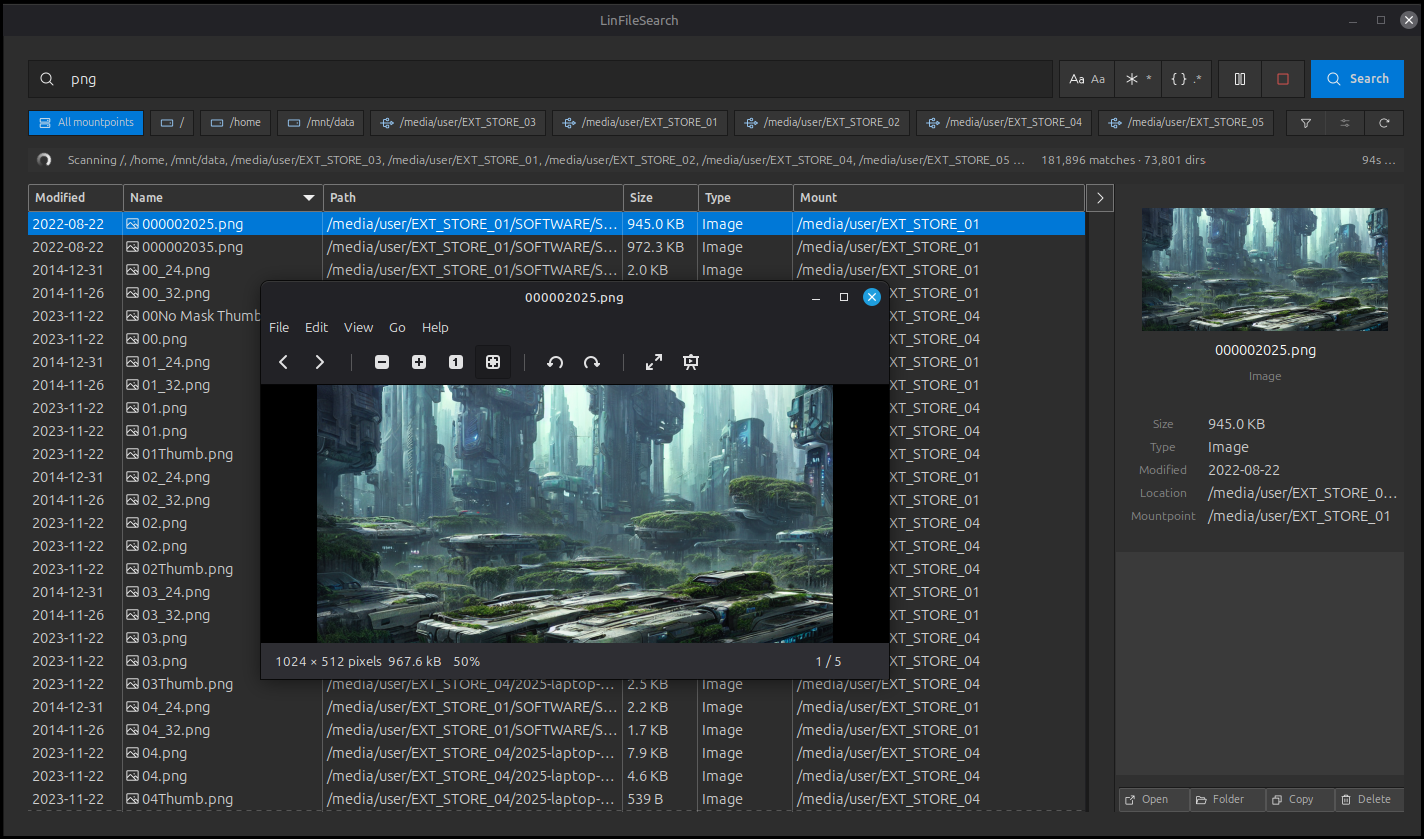
LinFileSearch searches across all your connected drives at once, from your main disk to external and USB drives, with no slow index to build or maintain. Results stream in live as it works, and you can preview, open or act on any file right from the list. Simple to point-and-search, powerful when you need precise matching.
Platform: Linux desktop
Features
Searches all your drives at once, including external and USB drives
No index to build, so you can search right away
Live results that stream in as they are found, with pause and stop
Flexible matching from simple text to precise patterns, with case control
Pick exactly which drives to include in a search
Sortable results showing name, location, size, type and date
Side preview with quick open, reveal, copy-path and trash actions
Search history you can re-run, plus saved favorites
What you can do
1Type a name and find matching files across every drive.
2Preview a result and open or reveal it without leaving the app.
3Re-run a past search instantly from your history.
4Save the searches you do often for one-click reuse.
Get Linux File Search
Download comes straight from the project's source on GitHub — nothing is hosted here.
Download